Random Ramblings of a Neo-Post-Modern Geek (I have no idea what that means)
Computers
‘Tis The Season to Upgrade! (or not)
Dec 26th
Yes, it’s that time of year again … UPGRADE TIME!
With the release of Fedora 12 a few months ago, I’m taking the holiday break from work to get my servers up to a more current version of Linux.
The fact that Fedora 10, the version of Linux I am currently running, is no longer going to be updated added a little more incentive.
Popularity: 1%
Dell Chat Support Flub
Aug 25th
In general, I’ve been quite pleased with the technical support I get from Dell’s Small & Medium sized Business division.
They usually adapt quickly to my level of technical expertise and take my word for it when I report a problem. Once the failing component has been identified, they quickly setup the appropriate dispatch to get the problem corrected.
Yesterday, however, was an exception.
Popularity: 3%
Gateway Recovery Manager error 205
Aug 9th
A few days ago Ginny’s desktop machine (a home built system cobbled together from various parts I had on hand) finally gave up it’s ghost. It wouldn’t book up, just gave one long beep, waited a few seconds, gave another long beep, over and over.
Well, her laptop (Dell Inspiron 8600) is almost out of warranty … and she’s not going to be getting my Dell Latitude D630 (due to the Latitude E6400 being returned), so I figured it wouldn’t be a bad idea to get her a new computer.
So we went over to CompUSA (formerly Tiger Direct) and looked at the small form factor desktop systems. We chose a Gateway SX2800-01 system (Core 2 Quad, 4gb RAM, 640gb SATA disk, 64bit Vista Home). The only problem was that it had on-board Intel video and no DVI output (although it does have HDMI output). Cost about $500. FWIW: This is Ginny’s first new computer in quite a while. Most of her other computers were hand-me-downs (from me).
Popularity: 4%
Returning the Latitude E6400
Jul 31st
This will probably be the last post I write with the Dell Latitude E6400 I purchased recently.
Next week I’m going to call Dell and arrange to return the laptop for a refund.
This is the first Dell computer that I’m really dissatisfied with and, frankly, I’m surprised that Dell dropped the ball so badly. The E6400 is (at least in my opinion) a major step backwards from the D630.
Popularity: 6%
Wake On LAN
Jul 25th
There is apparently going to be a bit more getting used to this new laptop.
The other day, before I went to bed, I put my new Dell Latitude E6400 into standby mode … I’m 99% sure I did this.
The next morning, however, when I went down stairs I found my laptop powered on.
That evening, before I went to bed I hibernated the laptop.
Once again, the next morning, I found the laptop powered on.
Obviously this is pretty odd.
So last night I tried an experiment … I put the laptop into standby mode and, within seconds, it resumed from standby. I then put the laptop into hibernate mode … and 30 minutes later, it powered itself back up.
Popularity: 7%
Dell Latitude E6400 Sales & Support
Jul 23rd
Note: Although my sales & support experience with the machine were generally positive, my experiences with the machine itself were not. I have since sent it back to Dell.
I just had some really good customer support experiences with Dell. I know, some of you are going to think this is impossible, but it really happened.
Ginny’s laptop is getting kind of old … it’s an Inspiron 8600, almost out of warranty, and the screen hinge is pretty loose. Plus she needs another computer, with more video capability, to play with Second Life.
I figured it was time for an upgrade. I was also thinking it was time for my laptop to upgrade also.
So I ordered a new Dell Latitude E6400 laptop for myself, from Dell’s Small Business division, and will give Ginny my Latitude D630 (which has more CPU power, memory, and better video than her Inspiron 8600).
The basic configuration is … More >
Popularity: 27%
Rules for PC Owners
Mar 7th
Here are a few things that I recommend for folks who use PC’s … think of them as “David’s Rules for PC Owners” …
Popularity: 1%
Netgear ReadyNAS NV+
Jan 24th
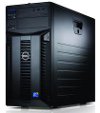
For quite some time I haven’t been happy with the level of data protection on my servers … a while ago I ran mirrored (RAID 1) IDE (PATA) drives on my system using a Arco Duplidisk adapter. It seemed adequate, but after I upgraded my servers to the Dell PowerEdge systems, it didn’t seem to work quite right. It was reporting failed drives when there were none.
So, after a fair bit of research, I decided to get a NAS (Network Attached Storage) device. My criteria were a) had to support various RAID levels (1 & 5 at least), have hot swappable drives, and support NFS (the linux network file system).
The device I decided on is a Netgear ReadyNAS NV+. The model I got came with 2 x 500gb drives, with bays for two more. It wasn’t cheap, but I think it will be worth it in the long run.
It supports various RAID levels … RAID 1 (mirroring, where the data on one drive is completely duplicated on the other), RAID 5 (where data is stored on two drives with a parity bit on the 3rd … if any one of the drives fails, the data can be reconstructed on the fly using two of the drives), and it’s own RAID X … which is an eXpandable and adaptive RAID variation … which will use RAID 1 if you only have two drives, and RAID 5 when you add more.
Although there were a few hiccups, I’m not displeased.
Popularity: 15%
Laptops
Jan 25th
I was just looking at my laptop (Dell Latitude D620) and wondered about a few things …
- Why do they bother putting RS-232 ports on laptops anymore? I haven’t seen a device that connects via RS-232 in years. The only devices I can actually think of that used a RS-232 port was an external modem … and most laptops have modems built in (not that they’re used much anyways).
- Ditto with a parallel printer port. Most printers that I’ve seen in the last few years have been connected by USB (‘course my laptop doesn’t have a parallel port, but Ginny’s does).
- Why bother with a DB15 video connector? Wouldn’t it be better to just go with DVI? If you need a DB15 video connector, you can use an adapter.
- The hard drive on my laptop uses SATA … I really wish there was an eSATA connector. I tried putting an eSATA card in the PCI slot of the D/DOCK port replicator, but the BIOS wouldn’t recognize it (which is fairly logical, considering there’s no guarantee that the card would be there all the time).
On a somewhat different, although related, topic … I really wish someone would make an inexpensive tablet computer. I have an idea for a nice little appliance application that would be perfectly suited to a tablet computer. All it would need is a 12″ display, 512mb of ram, 4gb to 8gb of flash disk, wifi, and Linux.
Popularity: 1%
Upgrade Complete
Apr 23rd
Well, I finally got my Linux systems upgraded … both Rivendell & Gondor got upgraded to Fedora Core 6 this weekend.
There were a few minor glitches … but nothing that couldn’t be handled.
One thing that was kind of annoying is the fact that the Apache config (httpd.conf) was replaced on both servers (the original was backed up to a ‘rpmsave’ file). This, in itself, wasn’t that big a deal … but I wasn’t expecting it.
I have an idea for a good open source project … that could be incorporated into new distribution releases … an “Upgrade Impact Analysis” tool. It would evaluate your existing configuration, compare to what is known about a new distribution, and tell you what config files could be used without modification and which files would have to be reworked.
Another problem I had, which had me worried, was the fact that I couldn’t get ClamAV to rebuild. After a bit of research, I found that my linker configuration file ‘ld.so.conf’ had a ‘/usr/i486-linux-libc5/lib’ listed. This has to be left over from one of my older Redhat installs. The files in that directory are timestamped April 15th 1999. To be honest, I’m shocked I was able to build anything with that old code in the linkers configuration. Luckily, simply commenting that line out fixed the problem.
So far everything seems to be working OK, so I’m cautiously optimistic.
Popularity: 1%

Recent Comments